AI Cockpit Reasoning CLI
AI Cockpit Reasoning CLI brings Reasoning to the terminal. Work interactively in its terminal interface, execute headless tasks in scripts and CI pipelines, or open the local Console in a browser. Each mode uses the project directory, agents, model connections, permissions, tools, and sessions configured for the CLI.
Install
Linux and macOS
curl --proto '=https' --tlsv1.2 -fsSL https://cli.aicockpit.ai/install | bash -
Windows PowerShell
irm https://cli.aicockpit.ai/install.ps1 | iex
Open a new terminal and confirm the installation:
aic --version
Run aic upgrade later to install the latest version.
Connect a provider
AI Cockpit Reasoning CLI needs access to at least one model provider. Choose either setup flow:
- Run
aic, enter/connect, and complete the flow shown in the terminal interface. - Run
aic auth loginto connect from the shell.
Useful account and authentication commands include:
aic auth list       # List configured provider credentials
aic auth logout     # Remove provider credentials
aic profile         # Show the connected AI Cockpit account
aic org             # Select an AI Cockpit organization
/connect and aic auth login configure model access. aic profile and aic org apply when you connect through an AI Cockpit account.
Start in a project
cd path/to/your-project
aic
The current directory becomes the workspace. The agent can inspect the project, propose changes, run commands, and preserve the conversation as a session.
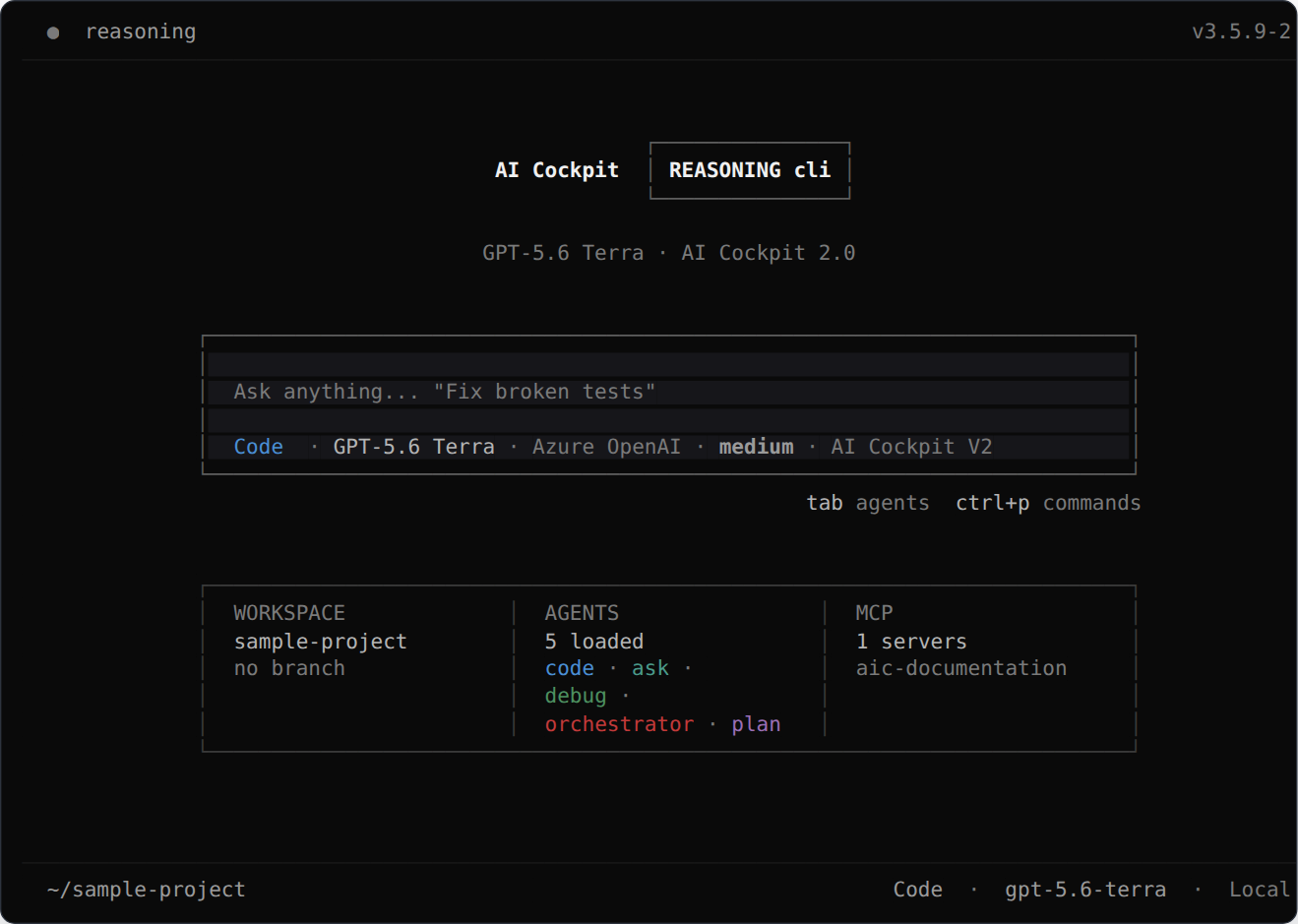
The interactive terminal keeps the prompt, active agent and model, workspace, and integrations in one view.
Choose how to work
| Interface | Start with | Best for |
|---|---|---|
| Interactive terminal (TUI) | aic | Conversations with live controls and permission prompts. |
| Headless execution | aic run | Scripts, hooks, CI/CD, and machine-readable output. |
| Local Console | aic console | Using the local CLI runtime from a browser. |
These are interfaces of the same product. Switching between them does not require another installation or a separate project configuration.
Extend your workspace
AI Cockpit Reasoning CLI can be adapted to each project:
- Models: switch with
/modelsor--model. - Agents and subagents: select an agent with
/agents, or delegate focused work to subagents. - MCP servers: add tools and external resources with
aic mcpor/mcps. - Skills: package reusable instructions in
SKILL.mdfiles and inspect them with/skills. - Plugins: add runtime tools, hooks, providers, and custom behavior.
- Permissions: decide which actions are allowed, require confirmation, or are denied.
- Sessions: resume, fork, export, or import conversations.
See the command reference for the main shell and slash commands.