AI Cockpit Reasoning for VS Code
Use the extension to work with the project already open in VS Code. Start in Chat: select an agent and model, describe the result you need, review requested actions, and inspect the outcome without leaving the editor.
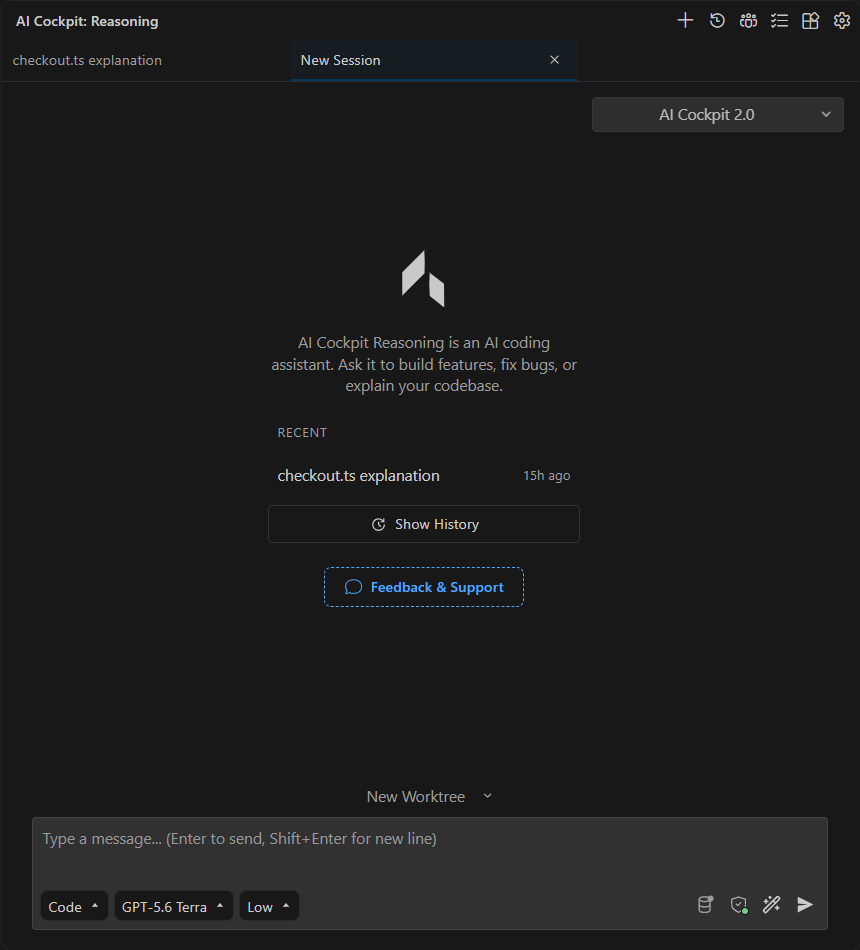
The Reasoning view keeps recent sessions, the prompt, and the active agent and model together.
Start with Chat
- Install the extension.
- Sign in and select an organization.
- Start your first session.
- Choose an agent and model.
- Send the request and review the result in Chat.
Chat works in the current checkout. Continue the same session when the next request depends on its decisions or results, or start a new session for unrelated work.
Choose the right workspace
When you need an isolated branch or want to run tasks in parallel, open Agent Manager. Each worktree keeps its own sessions, terminals, and changes together.
When work begins with a requirement from your organization, open Reasoning Board. Select the story and subtasks, then start the prepared request in Chat or in an isolated worktree.
To evaluate open GitHub or Bitbucket pull requests with AI, turn on Pull Request Reviews, which is still experimental.
For everyday questions and changes in the open project, stay in Chat. Move to these workspaces when the task needs isolation or requirement context.
Work from the editor
Reasoning also provides code actions, terminal actions, and commit-message generation. Use these integrations for a focused editor operation, and use Chat when the task needs conversation, tools, or review across several steps.