Choose an Agent, Model, and Reasoning Effort
Choose how Reasoning should approach the next request before you send it. The available agents and models depend on your organization, provider connections, and project configuration.
Choose an agent
Open the agent selector below the Chat prompt, or type /agents. Select an agent whose instructions and permissions match the work you need.
Agents can be configured for implementation, planning, investigation, review, or a specialized team workflow. Read the description in the selector instead of assuming that every organization provides the same agents.
With the Chat focused, press Ctrl+. (Cmd+. on macOS) to switch to the next agent, or Ctrl+Shift+. (Cmd+Shift+.) to go back.
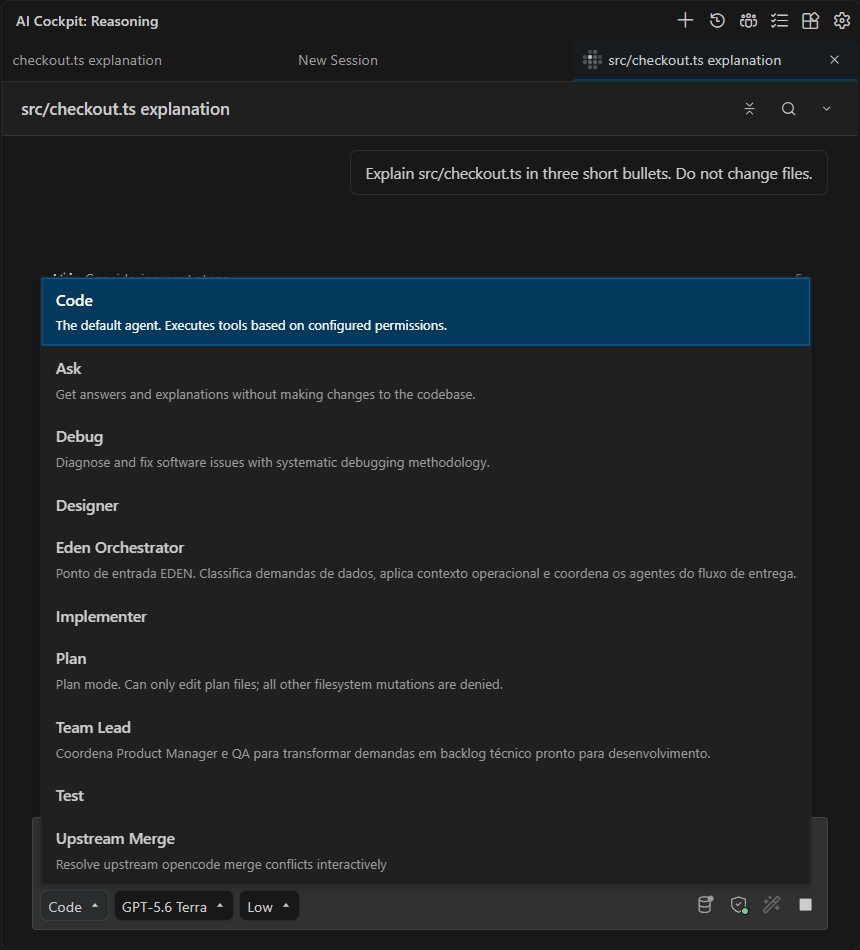
The selector describes each available agent before you choose it.
Choose a model
Open the model selector below the prompt, or type /models. Select a model that supports the inputs and capabilities the task needs.
The selector shows each model's provider, limits, capabilities, cost, and supported reasoning effort levels. Models listed under Auto Models let the AI Cockpit gateway choose the model for each request; see Auto Model and Auto Approval.
Changing the model affects the next requests in the session. It does not regenerate earlier messages or repeat completed tool calls.
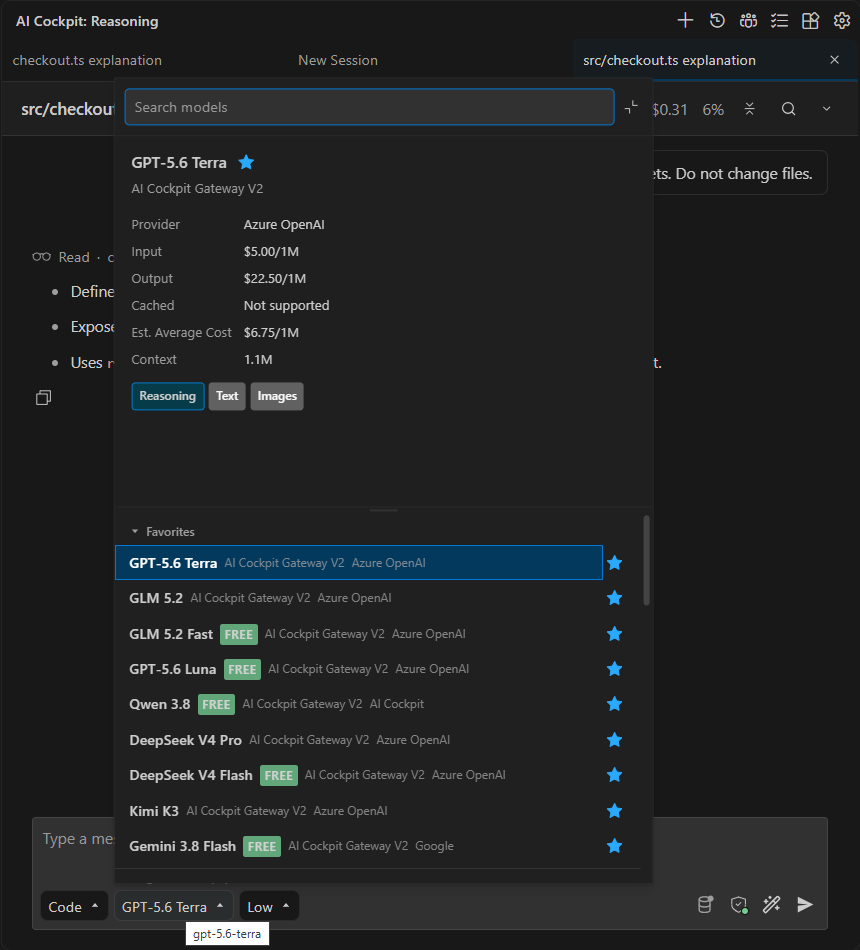
Review the provider, limits, capabilities, and estimated cost before selecting a model.
To compare intelligence, coding benchmarks, and prices before choosing, select Compare available models in the model details. See Compare Models (pre-release).
Choose reasoning effort
When the selected model offers reasoning effort levels, open the effort control next to the model, or type /variant. Higher effort can help with more involved analysis but takes longer and uses more of the budget.
Press Shift+Tab in the prompt to move to the next effort level. To keep Shift+Tab for keyboard navigation, turn off Cycle Reasoning Effort with Shift+Tab in Settings → Display.
If the control is not shown, the selected model does not offer effort levels.
Change defaults
The prompt selectors control the active session. To set defaults for new sessions, subagents, quick tasks, compaction, or speech to text, open Settings → Models.
Return to Chat to send the request.