Installing AI Cockpit Reasoning
AI Cockpit Reasoning is a VS Code extension that brings AI-powered coding assistance directly to your editor. Install using the VS Code Marketplace.
VS Code Marketplace
tip
If you already have VS Code installed: Click here to install AI Cockpit Reasoning
alternatively, you can:
- Open VS Code
- Access Extensions: Click the Extensions icon in the Side Bar or press
Ctrl+Shift+X(Windows/Linux) orCmd+Shift+X(macOS) - Search for "AI Cockpit Reasoning"
- Select "AI Cockpit Reasoning" by AI Cockpit Reasoning and click Install
- Reload VS Code if prompted
After installation, find the AI Cockpit Reasoning icon ( ) in the Side Bar to open the AI Cockpit Reasoning panel.
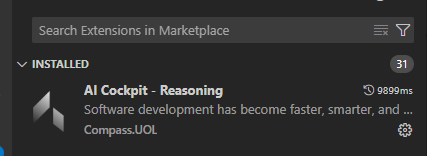
VS Code marketplace with AI Cockpit Reasoning extension ready to install
Troubleshooting
Extension Not Visible
- Restart VS Code
- Verify AI Cockpit Reasoning is listed and enabled in Extensions
- Try disabling and re-enabling the extension in Extensions
- Check Output panel for errors (View → Output, select "AI Cockpit Reasoning")
Installation Problems
- Ensure stable internet connection
- Verify VS Code version 1.84.0 or later
- If VS Code Marketplace is inaccessible, try the Open VSX Registry method
Getting Support
If you encounter issues not covered here, please contact our support team:
- Email: support@aicockpit.ai