Agent Manager
Agent Manager runs independent Reasoning sessions in Git worktrees. Each worktree has its own folder and branch, so several tasks can run in parallel without touching the checkout you have open. Bring the changes back when you are ready.
Agent Manager is not required for normal Chat. Chat works in the checkout already open in VS Code; Agent Manager creates or imports worktrees and keeps their sessions, terminals, and changes separate.
Open Agent Manager
Open a folder that contains a Git repository, then select Agent Manager in the Reasoning view, press Ctrl+Shift+M (Cmd+Shift+M on macOS), or run AI Cockpit Reasoning: Agent Manager.
The first time, an introduction explains the workflow. Select Create a worktree to start, or Skip introduction. Reopen it later with How Agent Manager works.
Find your way around
- Sidebar: the WORKTREES and SESSIONS lists for the repository. Group worktrees into sections, and use Search worktrees and sessions (Ctrl+F) to find one quickly.
- Tabs: sessions and terminals for the selected worktree. Pin a tab to keep it, or close others from the tab menu.
- Diff panel: the selected worktree's changes, opened with Ctrl+D.
- Pull request: status, checks, and comments when the branch has a GitHub pull request.
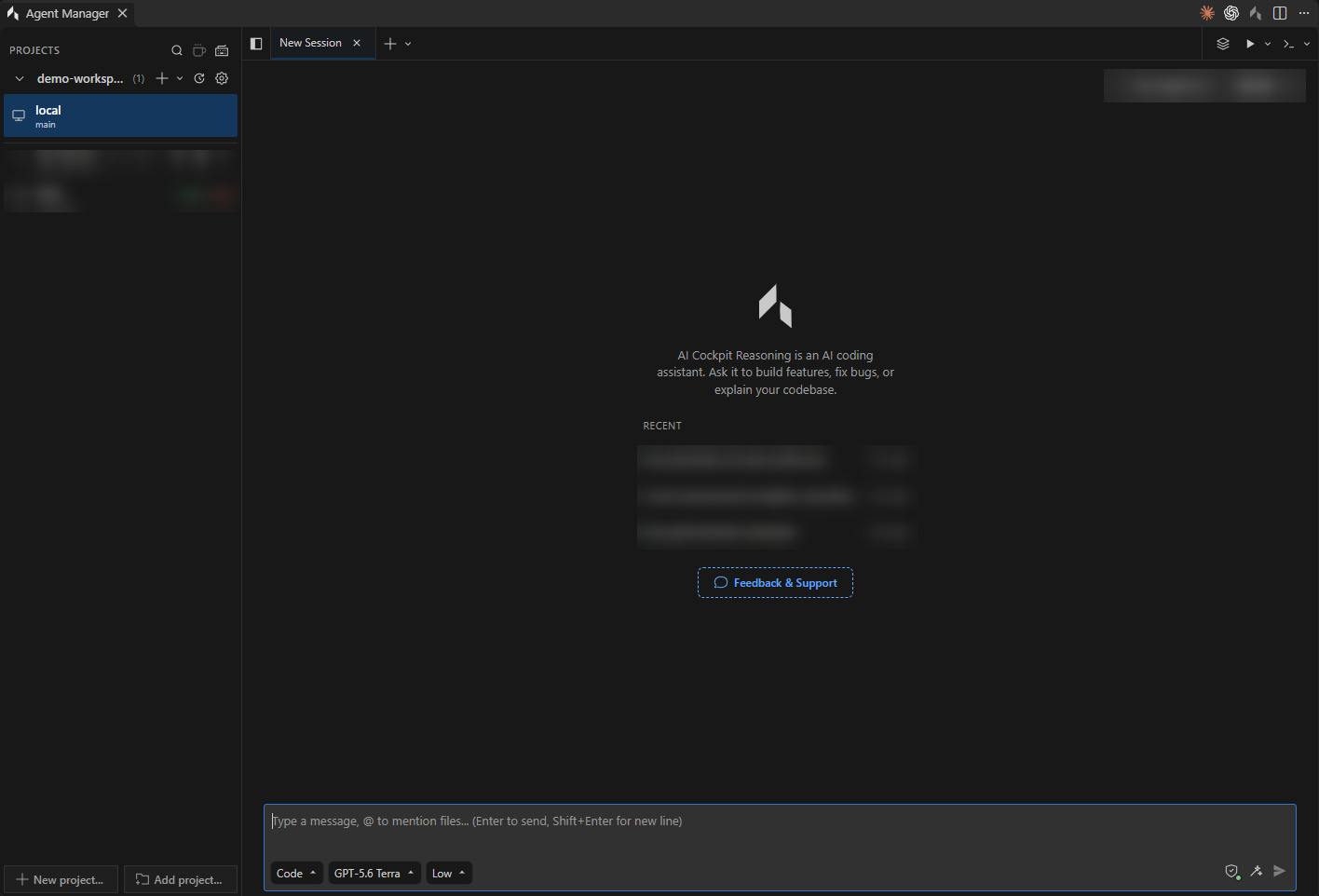
The sidebar lists projects and worktrees; the selected worktree's sessions open as tabs.
Press Ctrl+Shift+/ (Cmd+Shift+/ on macOS) to see every Agent Manager keyboard shortcut.
Start isolated work
- Create a worktree and describe the task.
- Select the agent, model, and reasoning effort.
- Let the setup script finish when the repository has one.
- Follow the session in its tab.
- Review the changes, then apply them to your local branch or open a pull request.
Keep the computer awake
Long tasks can stop when the computer sleeps. Turn on Keep computer awake while AI Cockpit agents work in Agent Manager, run AI Cockpit: Toggle Keep Awake, or type /caffeinate in a session. It stays active only while agents are working, and is unavailable on platforms that do not support it.