Review Work from a Reasoning Session
Check the result against the requested outcome before continuing, committing, or merging it.
Read the completion result
Start with the final response. It should identify what changed, what was verified, and anything that remains unresolved. Treat that response as a guide to the evidence, not as proof by itself.
Inspect tool results
Review commands, tests, and other tool activity in the transcript. Confirm that the reported command completed successfully and that its scope matches the project you intended to change.
If a verification step did not run, ask the agent to run it or explain why it is unavailable.
Review changed files
Open Show Changes when the session modified files. Review each file and confirm that:
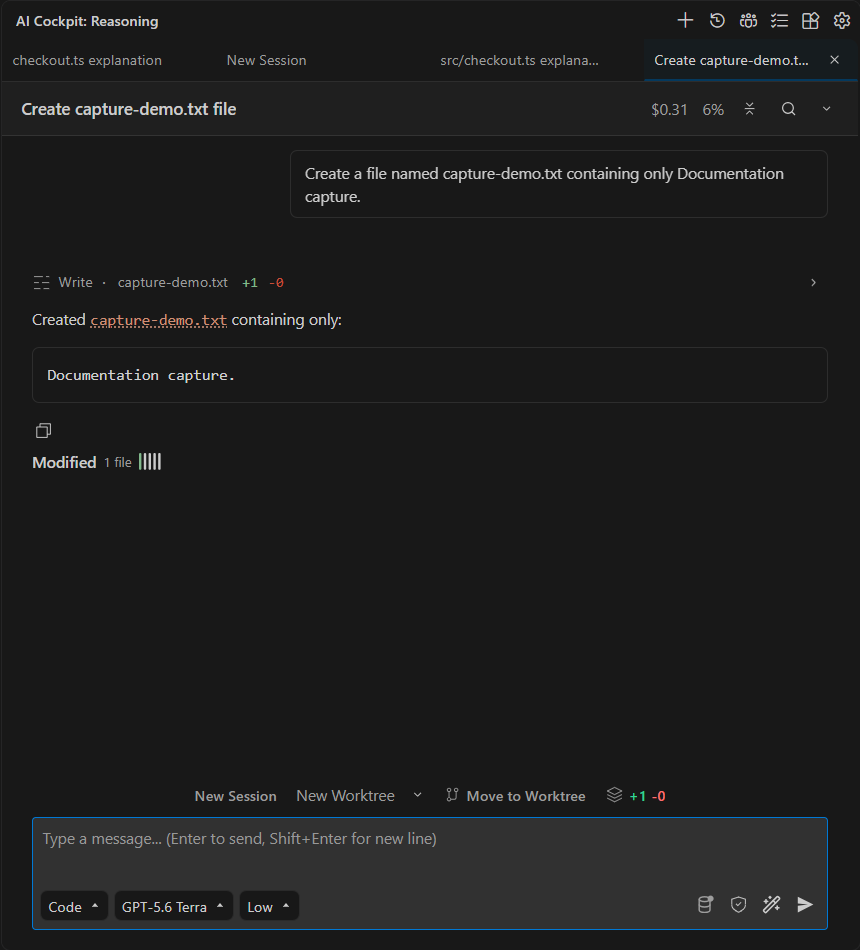
The session summarizes changed files and provides access to the recorded diff.
- the change belongs to the request;
- public behavior and interfaces remain intentional;
- error handling and sensitive data are treated correctly;
- tests or other verification cover the changed behavior;
- no unrelated file was modified.
Use the repository's normal version-control workflow before committing. Deleting a session does not revert its files.
Continue with feedback
Keep the same session when your feedback depends on the work already completed. Point to the specific file, behavior, or failed check and describe the correction you expect.
Use a checkpoint only after understanding what the restore operation will affect.