Use Chat Commands
Type / in the Chat prompt to open the command menu. Keep typing to filter it, then press Enter to run the highlighted command.
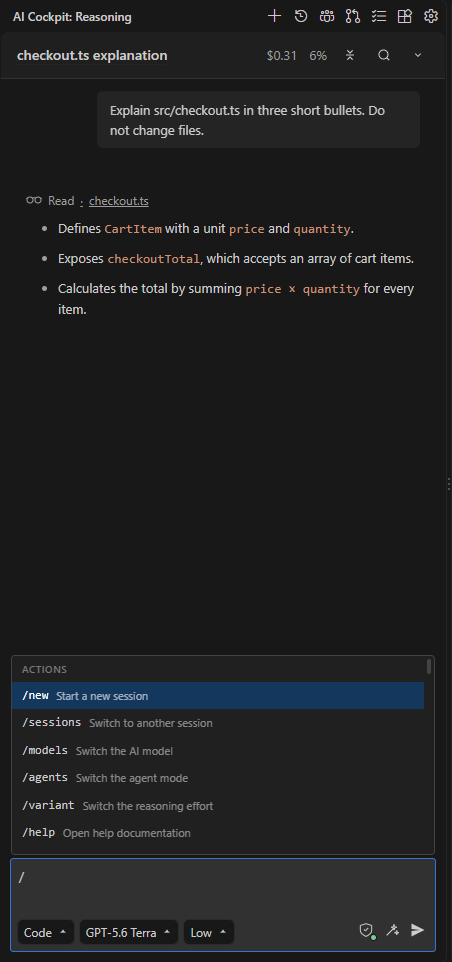
Type / to list the commands, then keep typing to filter.
Manage the session
| Command | Result |
|---|---|
/new | Start a new session. |
/sessions | Open session history to switch to another session. |
/agents | Open the agent selector. |
/models | Open the model selector. |
/variant | Open the reasoning effort selector. Shown only when the model offers effort levels. |
/compact | Summarize the session so work can continue with less context. |
/export | Export the transcript as Markdown. |
/settings | Open Settings. |
/reload | Reload configuration, skills, agents, and commands from disk. |
/caffeinate | Keep the computer awake while agents work. |
/help | Open this documentation. |
The menu also lists the workflows, skills, and MCP prompts provided by your configuration. See Workflows.
Keep working toward a goal
Use /goal when a task needs several turns and you want the agent to keep going without a new message each time.
- Type
/goalfollowed by the objective, for example/goal make every test in src/checkout pass. - Send it. While the agent works, the line above the prompt shows Goal: Active.
- Follow the work. Open Goal above the prompt to see the objective, its state, and its actions, or use the commands below.
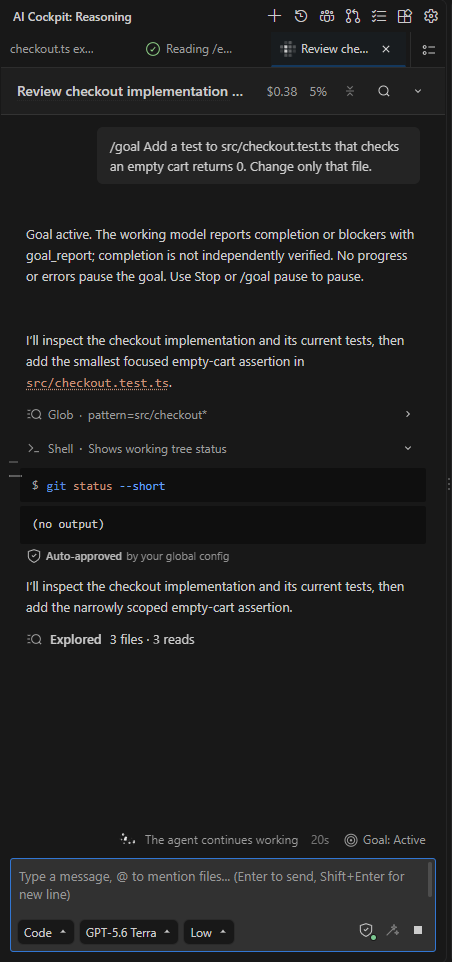
While the goal is active, the agent keeps working and the status shows above the prompt.
| Command | Result |
|---|---|
/goal pause | Stop working toward the goal. |
/goal resume | Continue a paused goal, or restart one marked complete. |
/goal clear | Remove the saved objective. |
While a goal is Active, the agent works on its own and does not ask clarifying questions. Permission rules still apply, so tools that require approval still ask you.
The goal ends in one of these states:
- Complete (model-reported): the agent reported that the objective is met. This is the agent's report, not an independent check, so review the result.
- Blocked: the agent reported a problem it cannot solve safely. Read the reason, fix the blocker, then resume.
- Paused: you paused it, the agent stopped making progress, or an error occurred.
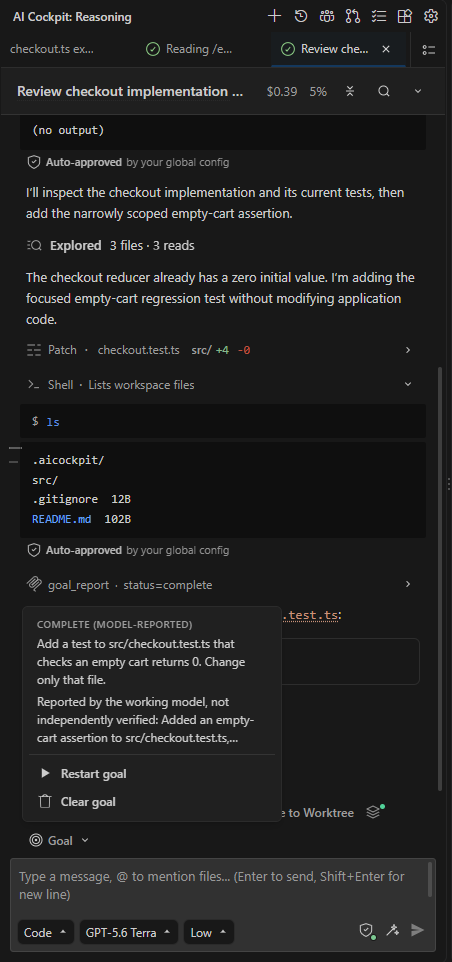
Open Goal above the prompt to see the reported state and restart or clear the goal.
If you send a message while a goal is active, the agent handles your message first and then continues the goal. Active goals are paused when the backend restarts.
Review code changes
Use /review to get a code review of local changes without editing files. The review covers security, performance, business logic, deploy safety, duplication, and dead code, and lists findings for you to act on.
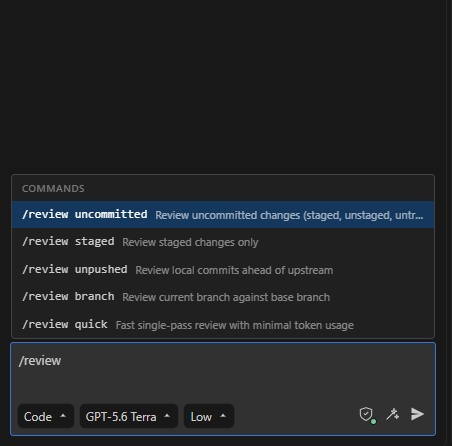
After /review, choose the scope to review.
| Command | Reviews |
|---|---|
/review | Uncommitted changes: staged, unstaged, and untracked files. This is the default. |
/review staged | Staged changes only. |
/review unpushed | Local commits not yet pushed. |
/review branch | The current branch against its base branch. |
/review quick | A fast single pass that uses fewer tokens. |
You can also pass a commit hash, a branch name, or a GitHub pull request number or URL, and add guidance after the scope, for example /review staged focus on input validation.
The reviewer does not change files during the review. Ask for fixes in a follow-up message after you read the findings.
Commands for Agent Manager worktrees
These commands appear only in a session that runs in an Agent Manager worktree:
| Command | Result |
|---|---|
/review worktree | Review every committed and uncommitted change in the worktree against its base branch. |
/update-from-base | Ask the agent to fetch and merge the worktree's base branch. |